In the rapidly evolving landscape of digital entertainment, streaming has become a cornerstone of how we consume media. As smart TVs continue to dominate living rooms, ensuring optimal streaming quality is crucial for an immersive viewing experience. This article delves into the key factors affecting streaming quality on smart TVs, offering a comprehensive analysis of network considerations, device settings, and content sources. By understanding these elements, users can enhance their streaming performance, transforming their smart TV into a seamless entertainment hub. Join us as we explore practical strategies and insights to elevate your streaming experience.
Understanding Your Internet Connection
To enhance your streaming experience, it’s crucial to grasp the fundamentals of your internet connection. Understanding the terms and metrics can significantly impact how you troubleshoot and optimize performance. Here are a few key concepts to keep in mind:
- Bandwidth: This refers to the maximum rate of data transfer across your network. Higher bandwidth allows for smoother streaming, especially in HD or 4K.
- Latency: The delay before a transfer of data begins following an instruction. Lower latency is ideal for uninterrupted streaming.
- Wi-Fi vs. Ethernet: While Wi-Fi offers convenience, a wired Ethernet connection often provides a more stable and faster connection, reducing buffering issues.
- Router Placement: Position your router centrally and away from obstructions to ensure a strong signal throughout your home.
By familiarizing yourself with these aspects, you’ll be better equipped to make informed decisions about your internet setup and improve your smart TV’s streaming quality.
Optimizing TV Settings for Better Performance
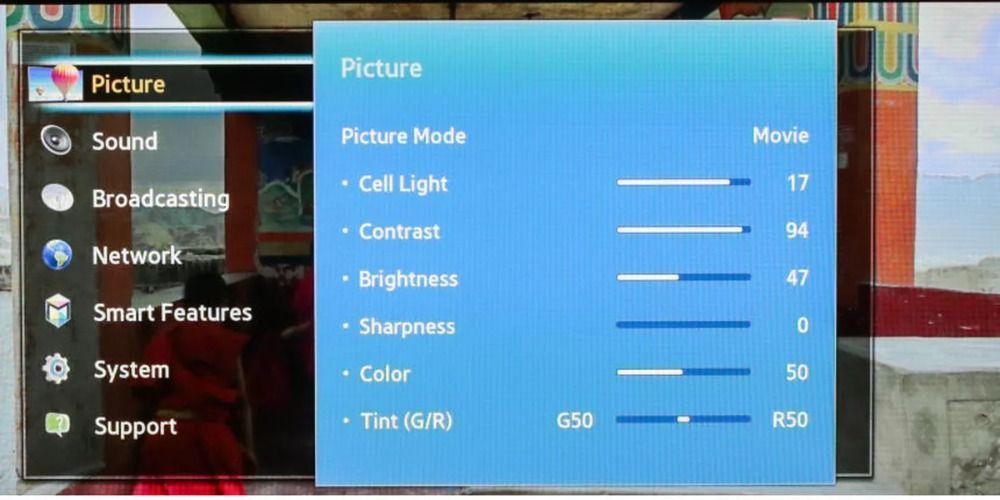
To achieve optimal streaming quality on your smart TV, it’s essential to fine-tune your settings for both visual and audio performance. Start by adjusting the picture settings: ensure the brightness and contrast are balanced to prevent any washout or loss of detail. Many TVs offer modes like Cinema or Game, which can be customized further for streaming content. Turn off any unnecessary features like motion smoothing, which might make films appear unnatural. Additionally, make sure your TV is set to the correct resolution—usually 1080p or 4K, depending on your model and the content you’re viewing.
Audio settings also play a critical role in enhancing your viewing experience. Access the sound menu and explore options like surround sound or dialogue enhancement to improve clarity. If your TV supports it, switch to Dolby Atmos for a more immersive soundscape. Consider external speakers or a soundbar for a richer audio experience. Furthermore, ensure your TV’s firmware is up-to-date, as updates can often include performance improvements and new features.
Choosing the Right Streaming Service
When it comes to enhancing the streaming quality on your smart TV, selecting the optimal service is crucial. Not all streaming platforms are created equal, and several factors should guide your choice:
- Content Variety: Ensure the service offers a wide range of genres and titles that align with your viewing preferences.
- Streaming Quality: Look for services that support HD or 4K resolution, especially if your TV is capable of these formats.
- Device Compatibility: Verify that the streaming service is fully compatible with your smart TV’s operating system.
- Price and Subscription Plans: Compare different plans and choose one that fits your budget while offering the best value.
- User Interface: A user-friendly interface can significantly enhance your viewing experience, making it easier to navigate through content.
By carefully evaluating these aspects, you can select a streaming service that not only meets your entertainment needs but also maximizes the performance capabilities of your smart TV.
Troubleshooting Common Streaming Issues
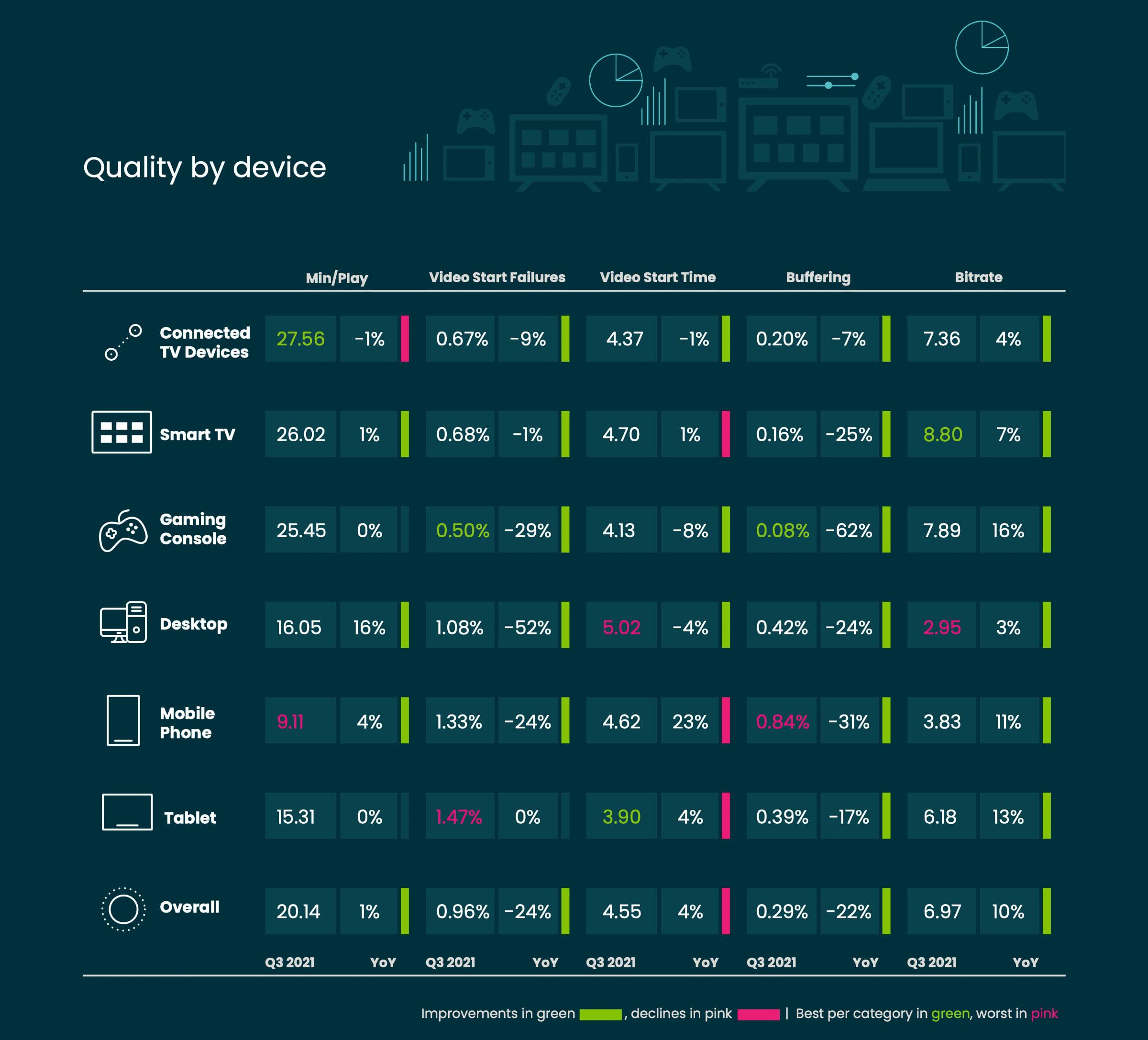
Encountering streaming hiccups on your smart TV can be frustrating, but most issues are easily fixable with a few adjustments. Start by checking your internet connection. A stable connection is crucial for smooth streaming. Ensure your Wi-Fi router is positioned close to the TV or consider using a wired Ethernet connection for a more reliable link. If multiple devices are using the same network, try disconnecting a few to see if performance improves.
- Update your software: Regularly check for firmware updates for your smart TV. These updates often contain improvements and bug fixes that can enhance streaming quality.
- Check app settings: Some streaming apps allow you to adjust video quality. Lowering the resolution slightly can reduce buffering if your internet speed is inconsistent.
- Restart devices: A simple restart of your smart TV and router can resolve temporary glitches and improve streaming performance.