In an era where streaming has become a staple of everyday entertainment, ensuring seamless performance is crucial for an optimal viewing experience. At the heart of this digital consumption is the often-overlooked home router, a device that plays a pivotal role in determining the quality of your streaming. This article delves into the technical intricacies of maximizing streaming performance through strategic router management. By understanding and optimizing various router settings, you can significantly enhance your streaming quality, reduce buffering, and enjoy uninterrupted content delivery. Join us as we explore practical tips and expert insights to transform your home network into a robust platform for all your streaming needs.
Router Placement and Signal Optimization
To ensure optimal streaming performance, consider strategic placement of your router. Centralize the router in your home to provide even coverage, avoiding corners or enclosed spaces like cabinets. Elevate it on a shelf or mount it on a wall to reduce interference from furniture and appliances.
- Minimize physical obstructions: Walls, especially those made of concrete or metal, can significantly weaken the signal.
- Avoid electronic interference: Keep the router away from devices like microwaves, cordless phones, and Bluetooth speakers.
- Adjust antennas: If your router has adjustable antennas, position them perpendicularly—one vertical and one horizontal—to enhance signal reach.
In addition to placement, optimize your router’s settings. Switch to a less congested channel to reduce interference from neighboring networks. Utilizing the 5GHz band, if available, can also improve speed and reduce latency for streaming, as it is typically less crowded than the 2.4GHz band.
Bandwidth Management and Prioritization Techniques
Effective management of bandwidth and prioritization is crucial for optimizing streaming performance. Quality of Service (QoS) settings on your router allow you to allocate more bandwidth to streaming devices, ensuring a smoother viewing experience. By configuring QoS, you can prioritize traffic to your smart TV or streaming box, reducing buffering and improving video quality. Many modern routers offer user-friendly interfaces for setting these preferences, enabling you to customize the flow of data according to your household’s needs.
Consider implementing the following techniques for better streaming performance:
- Device Prioritization: Assign higher priority to devices used for streaming.
- Traffic Shaping: Manage and control network traffic to minimize congestion.
- Limit Background Processes: Reduce bandwidth usage by limiting non-essential applications.
- Utilize Dual-Band Routers: Distribute devices between 2.4GHz and 5GHz bands to balance the load.
By applying these strategies, you can enhance your home network’s efficiency, providing a seamless streaming experience for all users.

Firmware Updates and Security Enhancements
To ensure optimal streaming performance, keeping your router’s firmware up to date is crucial. Firmware updates not only enhance your device’s functionality but also address security vulnerabilities. Many routers allow for automatic updates, but if yours doesn’t, it’s wise to regularly check the manufacturer’s website for the latest version. Updating your firmware can lead to improved speed, better network stability, and enhanced security features.
Security enhancements play a vital role in maintaining smooth streaming experiences. By securing your network, you reduce the risk of unauthorized access and potential interference with your streaming bandwidth. Consider implementing the following practices:
- Enable WPA3 encryption for stronger protection.
- Change the default administrator password to a complex one.
- Disable remote management unless absolutely necessary.
- Regularly review and update your connected devices list.
Incorporating these measures will not only protect your network but also ensure that your streaming remains uninterrupted and efficient.
Utilizing Advanced Router Features for Streaming
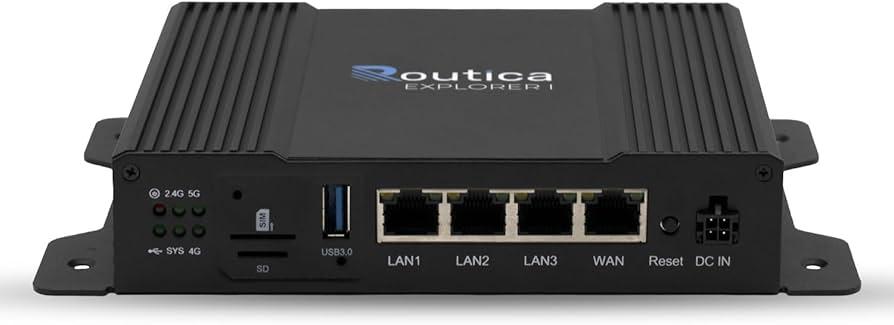
Modern routers come equipped with a variety of advanced features that can significantly enhance your streaming experience. Quality of Service (QoS) is a key feature to prioritize streaming traffic over other types of data. By configuring QoS settings, you can ensure that streaming services receive the necessary bandwidth, reducing buffering and improving video quality. Most routers offer an intuitive interface where you can assign higher priority to devices or applications used for streaming.
Dual-band and tri-band capabilities are another important aspect to consider. These features allow you to connect devices to different frequency bands, minimizing interference and congestion. Utilize the 5GHz band for streaming, as it typically offers faster speeds and less interference compared to the 2.4GHz band. Additionally, enabling beamforming can enhance your router’s ability to focus signals directly to your streaming device, further improving performance. Explore your router’s settings to leverage these advanced features, ensuring a seamless streaming experience.