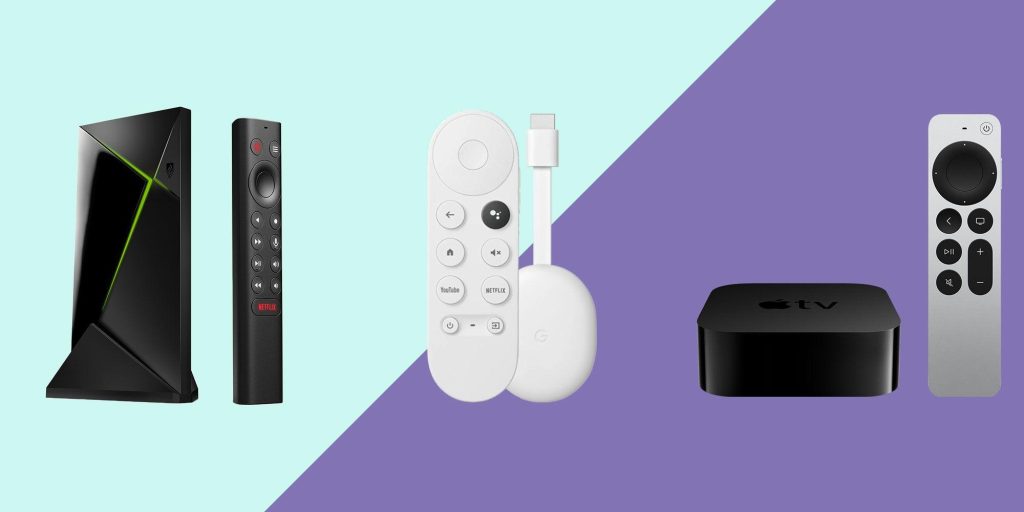

In today’s digital age, streaming devices have become an essential component of home entertainment systems, offering a gateway to a vast array of content at the touch of a button. However, the performance of these devices is heavily reliant on the strength and stability of your Wi-Fi connection. As streaming quality can significantly impact viewing experiences, understanding how to optimize your device for better connectivity is crucial. This article delves into the technical aspects of enhancing your streaming device’s Wi-Fi performance, providing a detailed analysis of common issues and practical solutions. By exploring these strategies, you can ensure smoother streaming, reduce buffering, and maximize the capabilities of your home network.
Understanding Wi-Fi Interference and Its Impact on Streaming
Wi-Fi interference can significantly impact the quality of your streaming experience, often leading to buffering, pixelation, or even disconnections. Interference occurs when signals from other devices disrupt your Wi-Fi connection, causing a degradation in performance. Common sources of interference include microwave ovens, cordless phones, Bluetooth devices, and even your neighbor’s Wi-Fi networks. The 2.4 GHz frequency band is particularly susceptible to interference due to its widespread use and limited number of channels.
To mitigate these issues, consider the following strategies:
- Optimize Router Placement: Place your router in a central location, away from thick walls or metal objects, to ensure a stronger signal throughout your home.
- Use 5 GHz Band: If your router supports it, switch to the 5 GHz band, which is less crowded and offers faster speeds over shorter distances.
- Channel Selection: Manually select a less congested Wi-Fi channel to reduce interference from neighboring networks.
- Minimize Electronic Interference: Keep your streaming device and router away from potential sources of interference like microwaves and cordless phones.
Implementing these adjustments can help create a more stable and efficient Wi-Fi environment, enhancing your streaming device’s performance.
Enhancing Signal Strength with Strategic Device Placement
Strategically placing your streaming device can significantly boost its Wi-Fi connection. Positioning is key—ensure your device is within direct line-of-sight of the router to minimize interference. Avoid placing it in enclosed spaces like cabinets or behind large furniture, as these can block signals. Elevate the device if possible; signals tend to travel downward, so positioning it higher can enhance reception.
- Avoid Interference: Keep your device away from microwaves, cordless phones, and other electronics that can disrupt Wi-Fi signals.
- Centralize Placement: Place your router in a central location in your home to ensure even distribution of the signal.
- Utilize Wi-Fi Extenders: If your home layout is challenging, consider using extenders to reach dead zones.
These adjustments can lead to a noticeable improvement in your streaming experience, reducing buffering and enhancing overall connectivity.
Optimizing Router Settings for Improved Streaming Performance
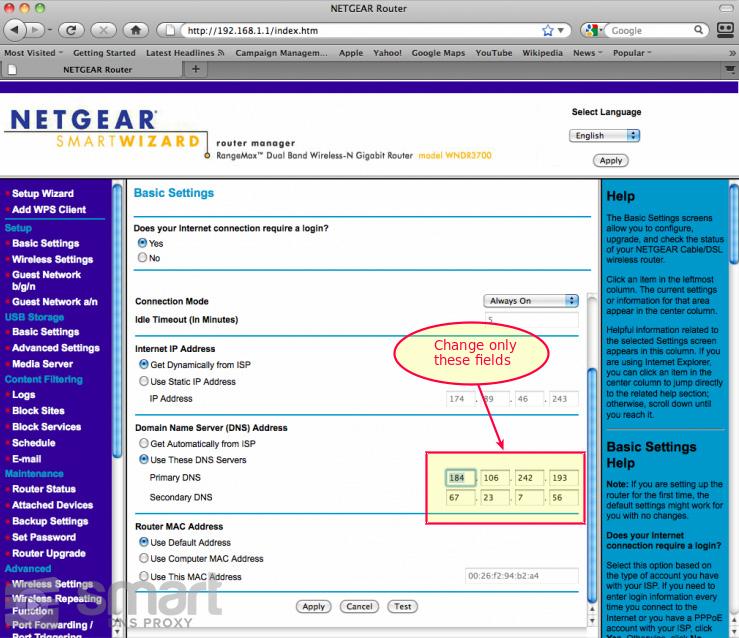
To enhance your streaming experience, fine-tuning your router settings can make a significant difference. Start by accessing your router’s admin panel—usually found at an IP address like 192.168.1.1 or 192.168.0.1. Once inside, look for the Quality of Service (QoS) settings. Enabling QoS can prioritize streaming devices over others, ensuring smoother playback.
- Change Wi-Fi Channel: If you’re experiencing interference, switch to a less congested channel. Tools like Wi-Fi Analyzer can help identify the optimal channel.
- Enable Dual-Band: Use the 5GHz band for streaming if your router supports it. This band is less crowded and offers faster speeds.
- Update Firmware: Regularly updating your router’s firmware can fix bugs and improve performance.
By implementing these adjustments, you can significantly enhance the quality and reliability of your streaming sessions, reducing buffering and lag.
Choosing the Right Frequency Band for Optimal Connectivity
When optimizing your streaming device for enhanced Wi-Fi performance, understanding the distinctions between frequency bands is crucial. Most modern routers offer dual-band capabilities, operating on both the 2.4 GHz and 5 GHz bands. Each band has its strengths and weaknesses, and selecting the appropriate one can significantly impact your streaming experience.
- 2.4 GHz Band: This band is ideal for long-range connectivity and can penetrate walls and obstacles more effectively. However, it is more prone to interference from other household devices like microwaves and Bluetooth gadgets.
- 5 GHz Band: Offering higher speeds and reduced interference, this band is perfect for high-definition streaming and gaming. Its main limitation is a shorter range, which may not be suitable for larger spaces.
To achieve optimal connectivity, assess your home’s layout and the location of your streaming device. If you’re close to the router, 5 GHz may provide the best performance. For devices farther away, 2.4 GHz could ensure a more stable connection. Consider these factors to tailor your network settings for the best possible streaming experience.